
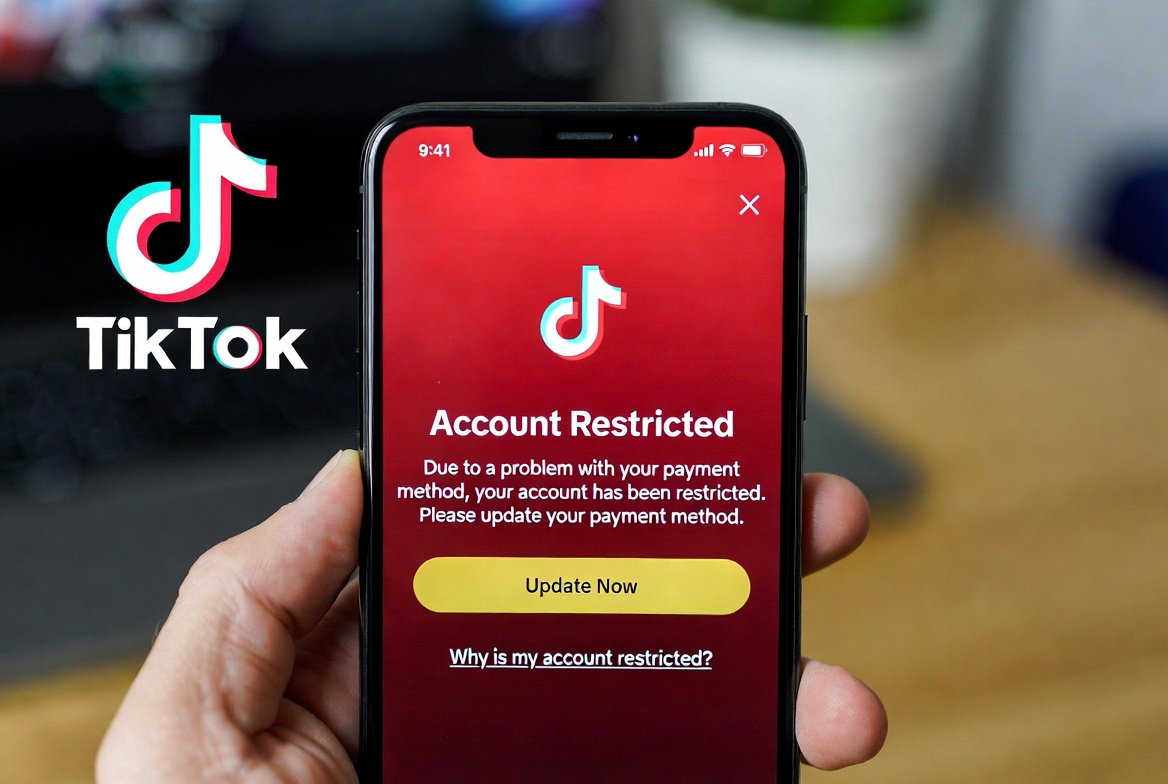
Understanding Why Your TikTok Account Was Restricted Over a Credit Card Problem in 2026
If your TikTok account has been suddenly restricted following a payment issue, you’re likely facing the platform’s automated security and compliance measures. In 2026, TikTok’s payment security algorithms have become increasingly vigilant, and any irregularity linked to your credit card or payment method can trigger an immediate account restriction to prevent potential fraud. This is a common yet frustrating experience for users who have attempted to purchase TikTok Coins, subscribe to TikTok LIVE, or use TikTok’s ad credits. The restriction is typically an automated response to specific red flags, such as a declined payment, suspected unauthorized chargeback, mismatching billing information, or using a prepaid or virtual card that TikTok’s system may flag as high-risk. The platform’s primary goal is to protect both the user and its own ecosystem from financial fraud, but the immediate result is often a limited account functionality—preventing you from sending direct messages, posting content, or making further purchases until the issue is resolved. Understanding that this is usually an automated safeguard, not a permanent ban, is the first step toward a swift resolution. You must act promptly, as prolonged unresolved payment issues can lead to more severe penalties, including a permanent suspension of your account’s monetization features.
Step-by-Step Guide to Fixing a TikTok Payment Restriction in 2026
Resolving a TikTok account restriction due to credit card issues requires a systematic approach. Follow these steps carefully to restore your account access.
1. Identify the Exact Payment Failure Cause: Log in to your TikTok account (if possible) and navigate to Settings and Privacy > Balance > Transaction History. Look for any failed transactions marked “Declined” or “Failed.” Simultaneously, check your bank statement or credit card app for any declined charges from TikTok or associated fraud alerts you may have missed.
2. Update or Change Your Payment Method: The most direct fix is to remove the problematic payment method and add a new, verified one. Go to Settings and Privacy > Balance > Payment Methods. Delete the card linked to the failed transaction. Then, add a new credit or debit card, ensuring the billing name and address match exactly what your bank has on file. Using a major, reputable bank card often yields better results than prepaid cards.
3. Settle Any Outstanding Balance: If a transaction was partially processed or left an unpaid balance, you must clear it. In your Transaction History, if you see a pending charge that failed, you may need to wait 3-5 business days for it to drop. If there’s a confirmed unpaid balance, you will need a valid payment method to settle it before the restriction is lifted.
4. Contact TikTok Support Directly: If the above steps don’t work within 24 hours, you must file a report. Do this through the app: go to Profile > Settings and Privacy > Report a Problem > Account and Profile > Account ban/suspension. Be concise, polite, and include all relevant details: your username, the date of the failed transaction, the last 4 digits of the card used, and screenshots of any error messages or bank statements (with sensitive info redacted). This creates an official ticket for their review team.
| Reason for Restriction | Description | Immediate Action |
|---|---|---|
| Failed Payment | A transaction (e.g., Coin purchase) is declined by your bank or card issuer. | Check bank statements/notifications; ensure funds are available. |
| Disputed Charge | You or your bank filed a chargeback for a TikTok transaction. | Contact your bank and TikTok Support to resolve the dispute. |
| Expired Card | The credit card on file has expired, but a recurring charge was attempted. | Update payment information in TikTok settings immediately. |
| Suspicious Activity | TikTok’s system detects unusual payment patterns, flagging potential fraud. | Verify your identity through TikTok’s requested steps. |
| Outstanding Balance | A previous payment reversal leaves a negative balance on your TikTok account. | Clear any owed balance via the app’s payment settings. |
| Regional Inconsistency | The country/region of your card does not match your TikTok account profile. | Use a payment method issued in the country where your account is registered. |
How to Contact TikTok Support for Payment and Restriction Issues in 2026
Navigating TikTok’s support system can be challenging, as they prioritize in-app reporting. Your most effective path is the Report a Problem feature within the TikTok app itself. For persistent issues, consider these additional channels:
-
TikTok Feedback Form: While primarily for content, it can be a secondary avenue.
-
Twitter/X: Sending a polite, public tweet to @TikTokSupport with your case details can sometimes get attention.
-
Business Account Support: If you have or switch to a TikTok Business Account, you may gain access to more direct support options, including chat or email for ad-related payment issues.
When contacting support, your communication must be clear and include evidence. Subject lines like “Account Restricted Due to Payment Error – Urgent” are effective. Persistence is key, as you may need to follow up on your initial report.
Preventing Future TikTok Payment Issues and Account Restrictions
To avoid this disruptive scenario, proactive measures are essential. First, ensure your billing information is consistently accurate and up-to-date across TikTok and your bank. Notify your bank of any intended large purchases of coins to prevent them from flagging the transaction as fraudulent. It is highly advisable to use a dedicated, reliable credit card for all in-app purchases rather than debit cards or less common payment methods. Regularly monitor your TikTok transaction history and bank statements to catch any discrepancies early. Furthermore, maintain a secure account by using a strong password and enabling two-factor authentication, as compromised accounts often have payment issues that lead to restrictions.
Frequently Asked Questions (FAQ) About TikTok Restrictions
Q: How long does a TikTok payment restriction last?
A: There is no fixed duration. An account restriction typically lasts until you successfully resolve the underlying payment issue. This could take from a few hours if you quickly update your payment method, to several days or weeks if you need to dispute a charge with your bank or wait for TikTok Support to review your case.
Q: Will my TikTok account be permanently banned for a payment issue?
A: A single payment failure usually results in a temporary restriction, not a permanent ban. However, repeated violations, suspected fraudulent chargebacks, or consistently using invalid payment methods can escalate to a permanent suspension, especially of your wallet and monetization features.
Q: I was charged but didn’t receive my TikTok Coins. What should I do?
A: This is a common trigger for restrictions. First, wait a few minutes and refresh the app. If the coins don’t appear, do not immediately request a chargeback from your bank. Instead, report the missing coins through Report a Problem > Purchases and Coins. A chargeback without contacting TikTok first will almost certainly cause a restriction.
Q: Can I use PayPal instead of a credit card on TikTok?
A: Yes, in many regions, PayPal is an accepted payment method on TikTok. Using PayPal can sometimes prevent these issues, as it acts as a buffer and handles the financial transaction independently. Ensure your PayPal account itself is in good standing and has a verified funding source.
Keywords: TikTok account restricted, TikTok payment issue, credit card declined TikTok, how to fix TikTok restriction, TikTok support contact, TikTok Coins not received, TikTok account banned payment, update payment method TikTok, TikTok 2026 guide
Disclaimer: The information provided in this article is for general guidance and informational purposes only as of 2026. TikTok’s policies, support procedures, and app features are subject to change at any time. The steps outlined are based on common solutions and may not resolve every individual case. For account-specific issues, you must always follow the official instructions and contact support through the TikTok app itself. The author and publisher are not responsible for any account actions taken by TikTok or financial decisions made by the reader.